How to edit an application
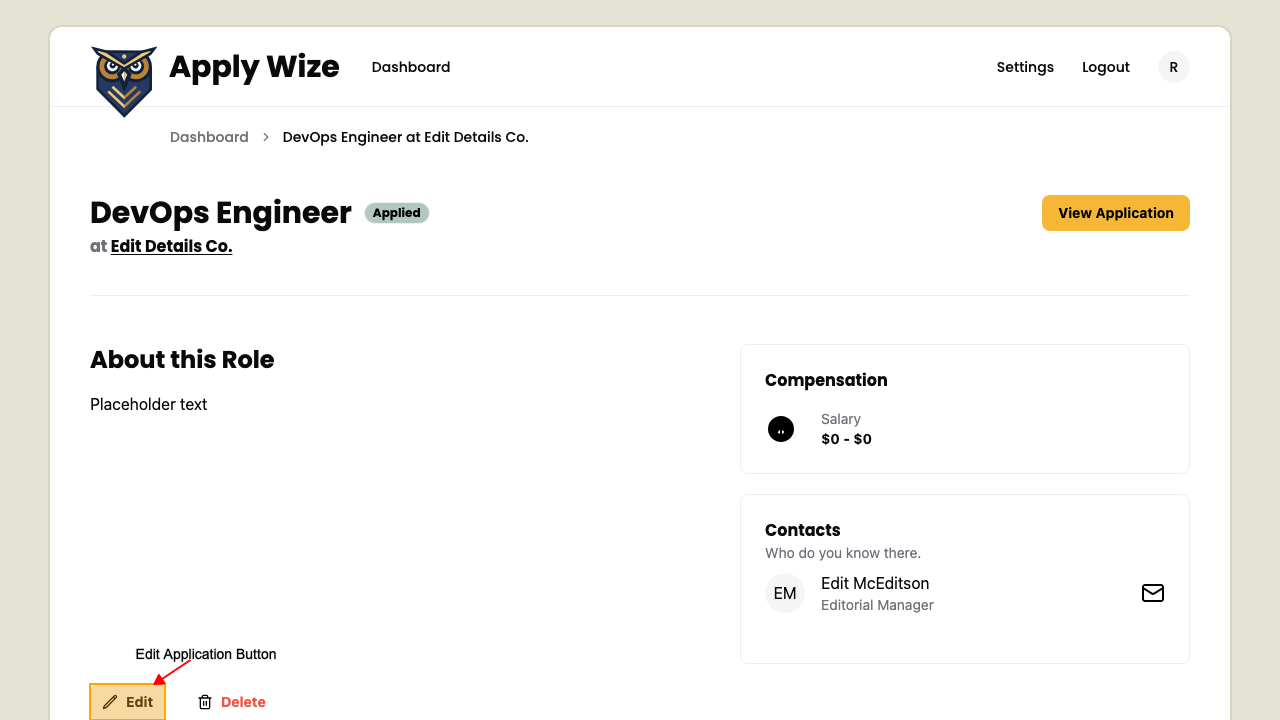
On the application detail page
On the Application Detail page,
click the Edit link to navigate to the edit application page.
On the top of the Edit Application page, is a breadcrumb navigation to navigate back to previous pages.
Fields you can edit on the application
You can modify the following fields:
-
Company Name
-
Job Title
-
Job Description / Requirements
-
Salary Range
-
Application URL
-
Application submission date
-
Application Status
-
Contacts
Edit Application page actions
In the footer of the Edit Application form, there are two main actions you can take:
-
Cancel: Clicking this will discard any changes you've made and return you to the Application Detail page.
-
Update: Clicking this will save all the modifications you've made to the application and redirect you back to the Application Detail page, where you can see the updated information.